June 2026
Changes and updates released in June 2026
Assignment user interface improvements
The assignment view is the first section of On-Call Optimizer to be refreshed.
- A new navigation tab bar below the assignment header has been added to improve access between the calendar
and configuration views for an assignment and enable the new Evaluation and Alternatives features described below.

- The assignment actions (Confirm, Regenerate, Abandon) are now located in the assignment header row for consistent easy access on all tabs.
Improved assignment evaluation information
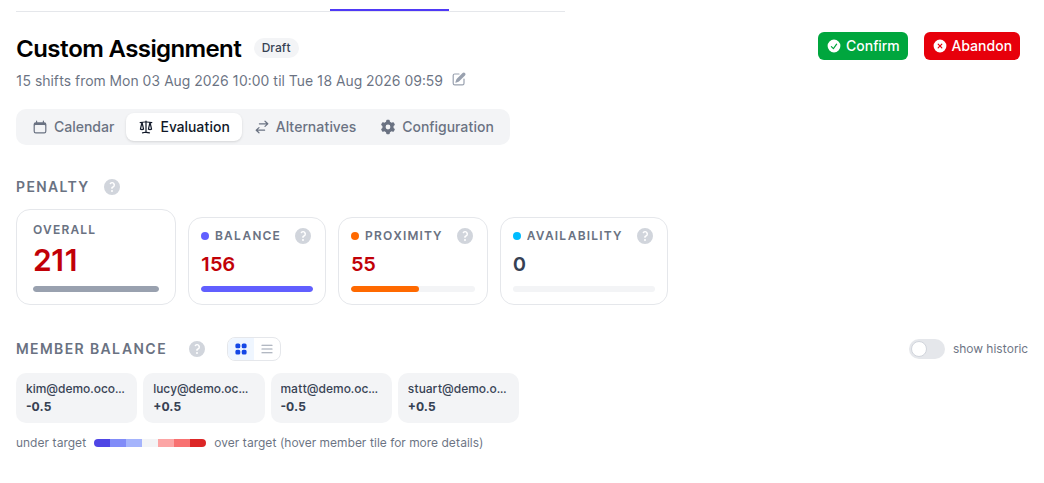
Every generated assignment now features a dedicated Evaluation tab replacing the old balance table from the right of the schedule with a full-page of details describing how On-Call Optimizer evaluated the assignment to determine it was best.
The additional information significantly improves the ability of schedule leads and members to understand the factors influencing On-Call Optimizer’s choices:
- Summary of the contribution of each optimization rule to the overall evaluation.
- Member balance statistics, viewable in card or table format.
- A detailed list of individual cost’s contribution to the overall penalty.
Explore alternative assignments
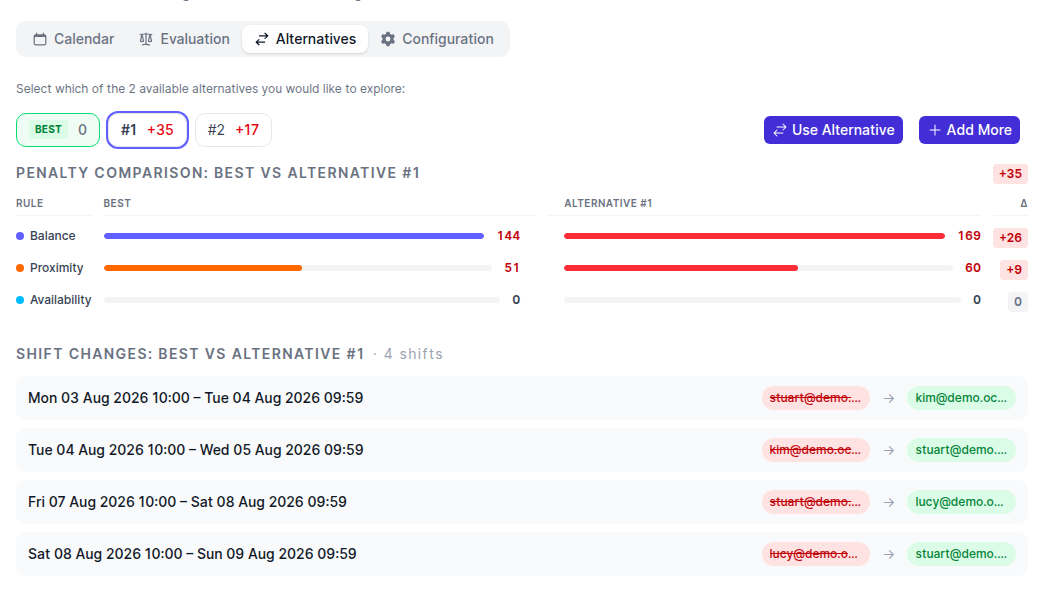
In addition to the improved evaluation available for the best assignment, you can now also ask On-Call Optimizer to generate alternative assignments and compare their evaluations side by side.
This ability is accessed from a new Alternatives tab within each assignment.
In the event that one of the explored alternatives is a better fit for the team, a Use Alternative button is available to promote it into the draft assignment from where you can confirm it into the schedule.
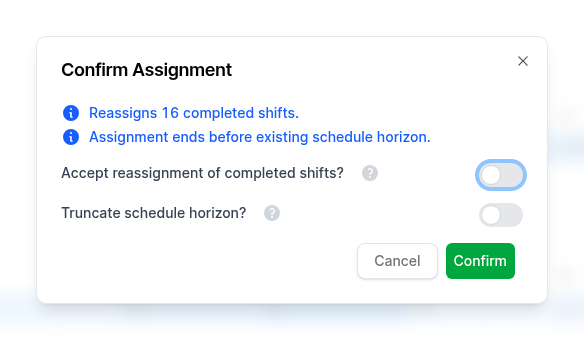
Clearer confirmation process for risky shift combinations
Assignments with risky shift combinations are now confirmed via a simplified confirmation dialog that draws together information and choices that were previously scattered in different parts of the application.
The dialog is bypassed for most common assignments where the confirmation is routine and changes the schedule in expected ways.
This provides fast, efficient workflows for common operations, while still allowing schedule admins the flexibility to override and manipulate the schedule as required when making rarer re-assignments or adjustments to existing shifts.
Custom assignment creation dialog
Creation of a custom assignment is now faster by allowing the desired start date and duration of the assignment to be specified before any shifts are generated. Previously the start and duration was only customizable after the default extension of the schedule had already been generated, requiring re-generation before the desired shifts were available.
Bugfixes and minor changes
- Calendar feeds and exports now correctly handle single-minute shifts.
- Fixed handling of multi-page users or schedules results from OpsGenie or SquadCast.